Start with today
Use Starter Level and visibility choices to begin with what your child needs most right now, then add more when they are ready.
AAC picture communication for kids
When words are hard, families need more than guessing. Talki Kids AAC+ gives children visual and flexible ways to share what they need, feel, choose, refuse, or want others to understand.
Start with what your child needs today. Add more when they are ready.
Designed especially for children ages 3–14, with simple picture choices for early communication and expanded tools for older children depending on the child’s communication needs, comfort with the app, and adult support.
Real app previews
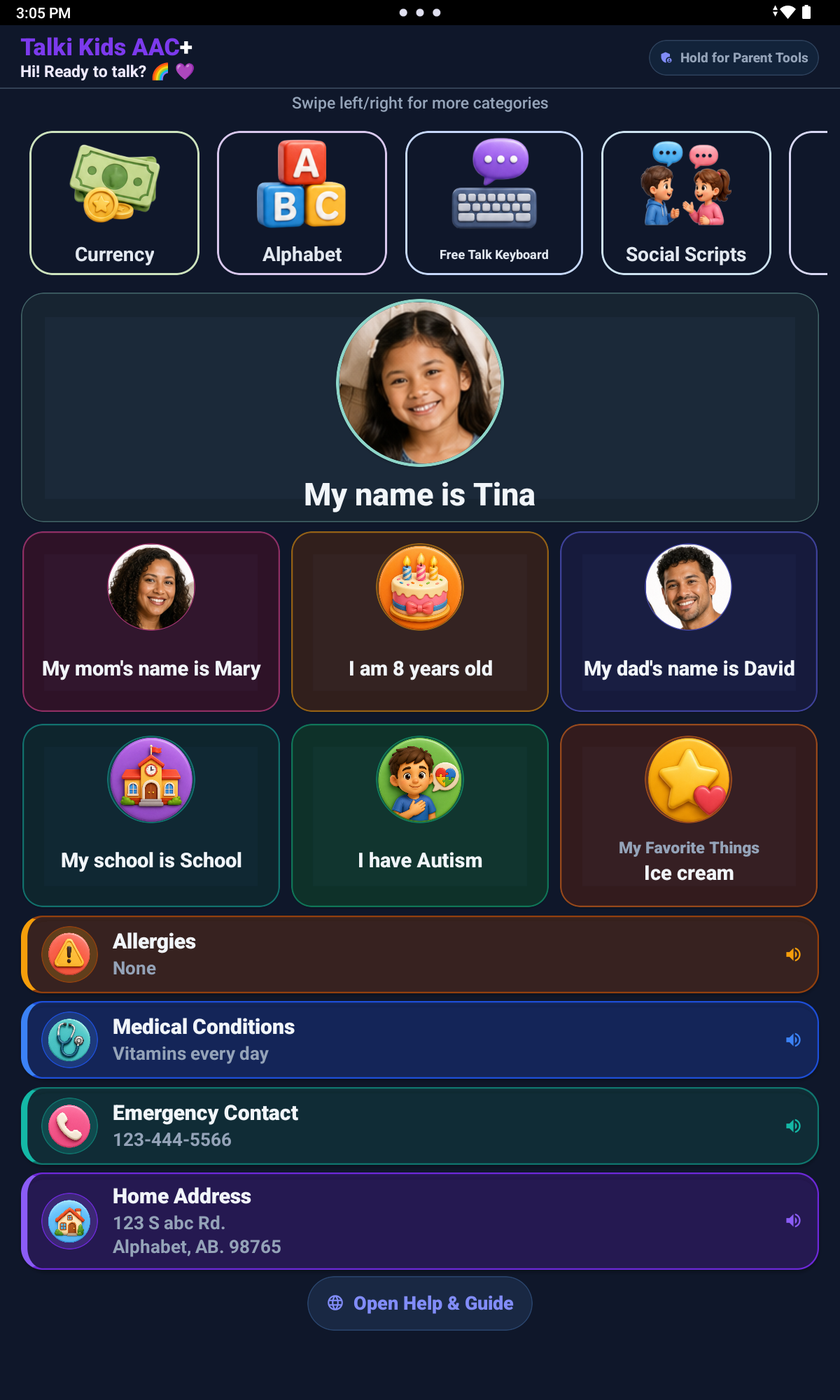
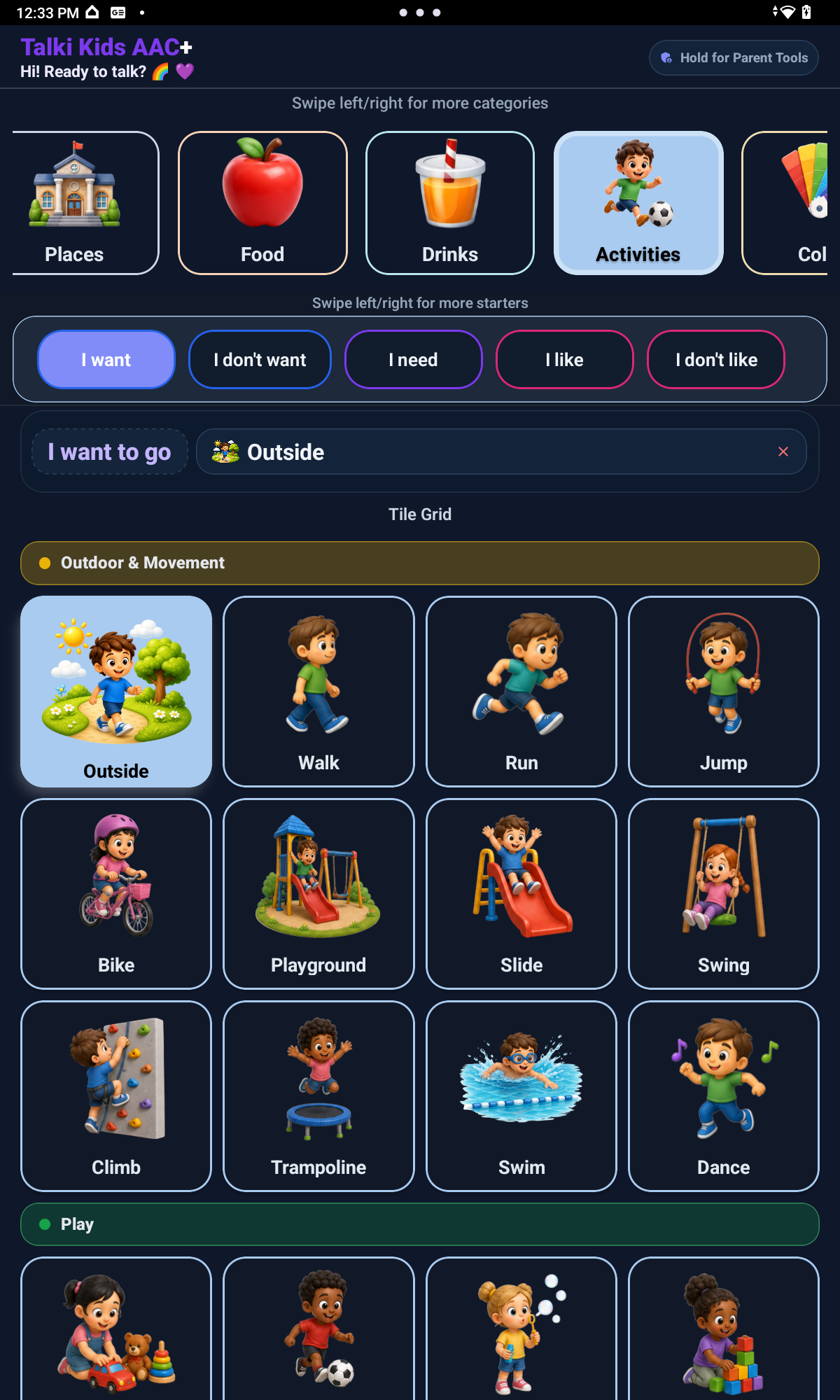
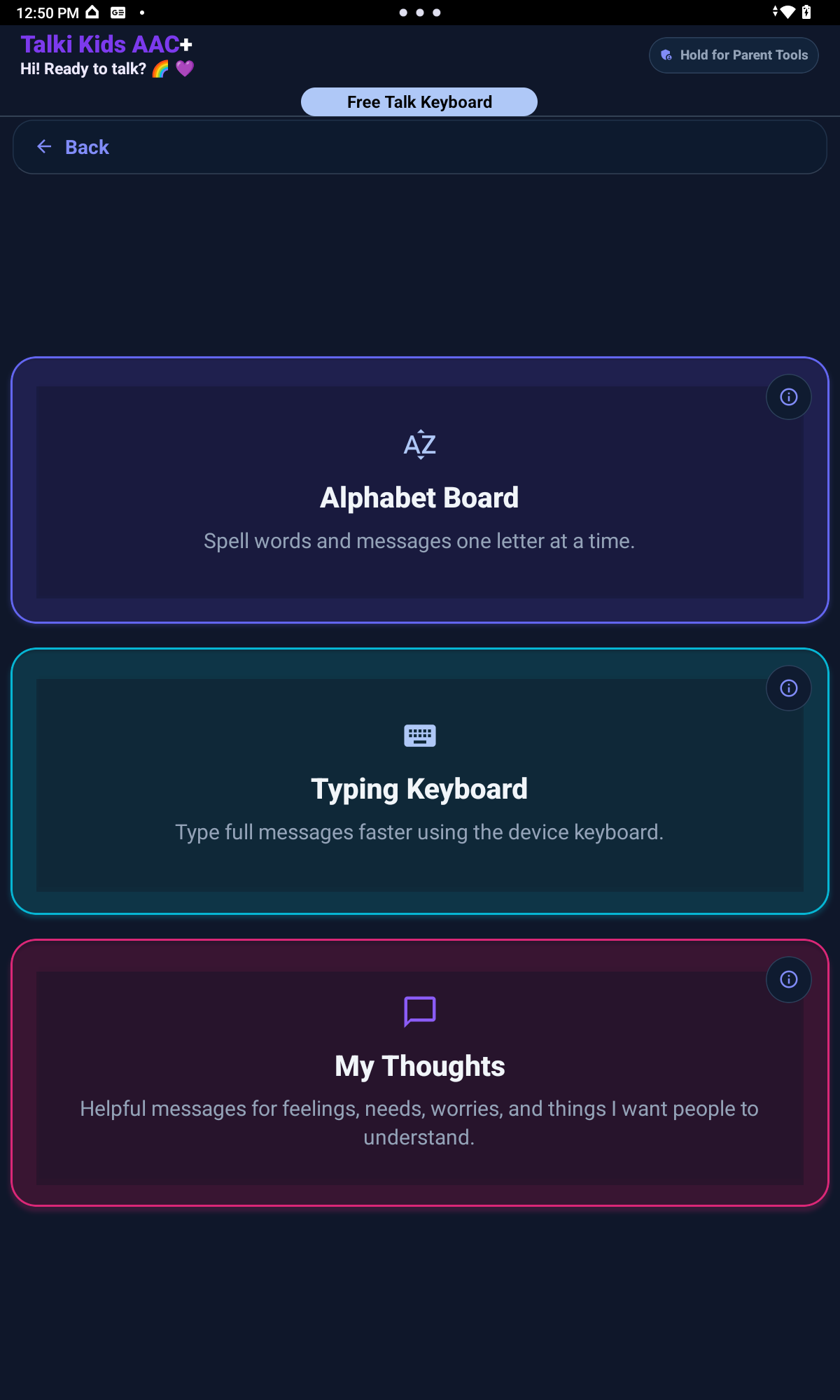
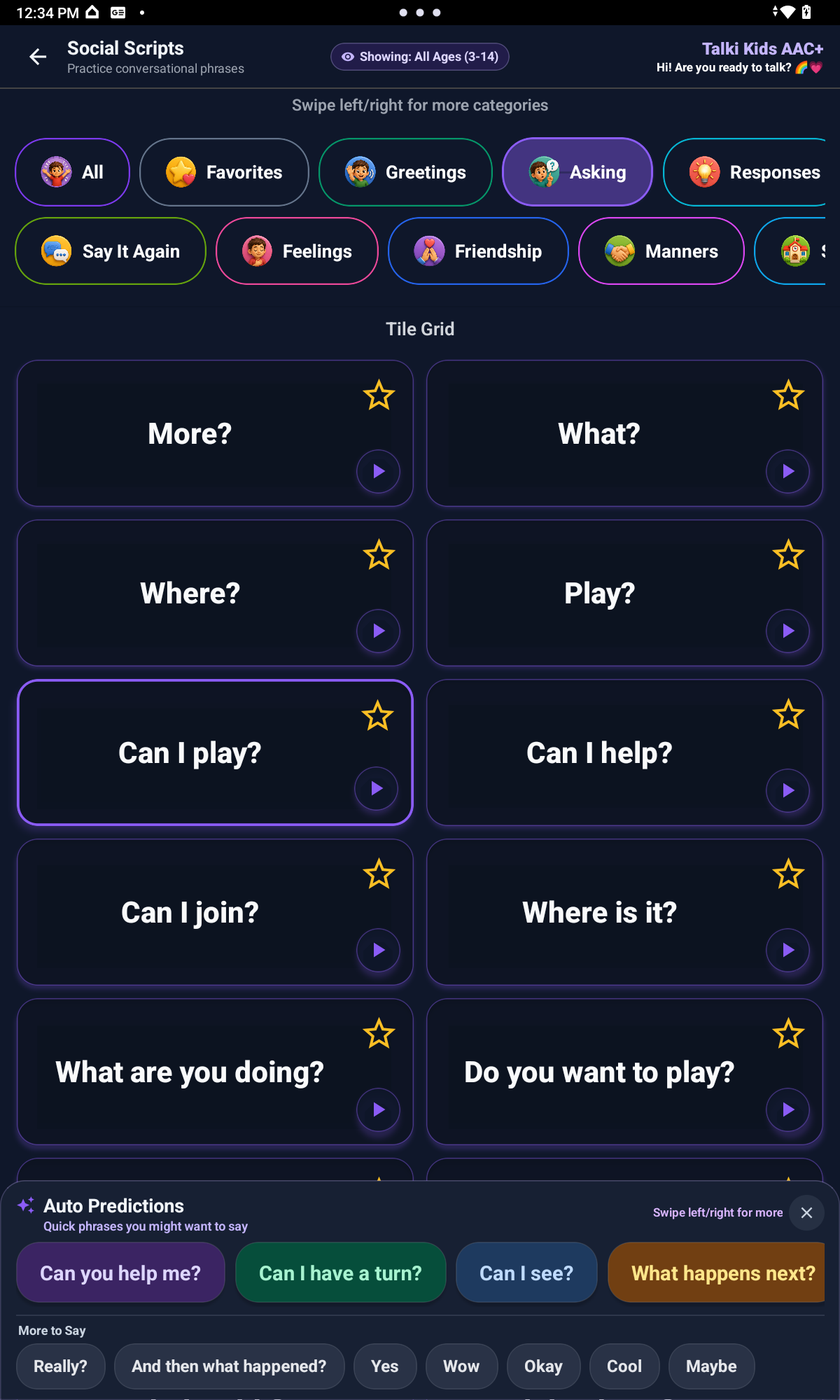
Real Talki Kids AAC+ screens show how picture choices, selected messages, and speech output can support everyday moments when a child needs another way to be understood.
Everyday expression
A child may need help with a feeling, refusal, break, school need, choice, or thought. Talki Kids helps adults begin with what is manageable and keep room for communication to grow.
Use Starter Level and visibility choices to begin with what your child needs most right now, then add more when they are ready.
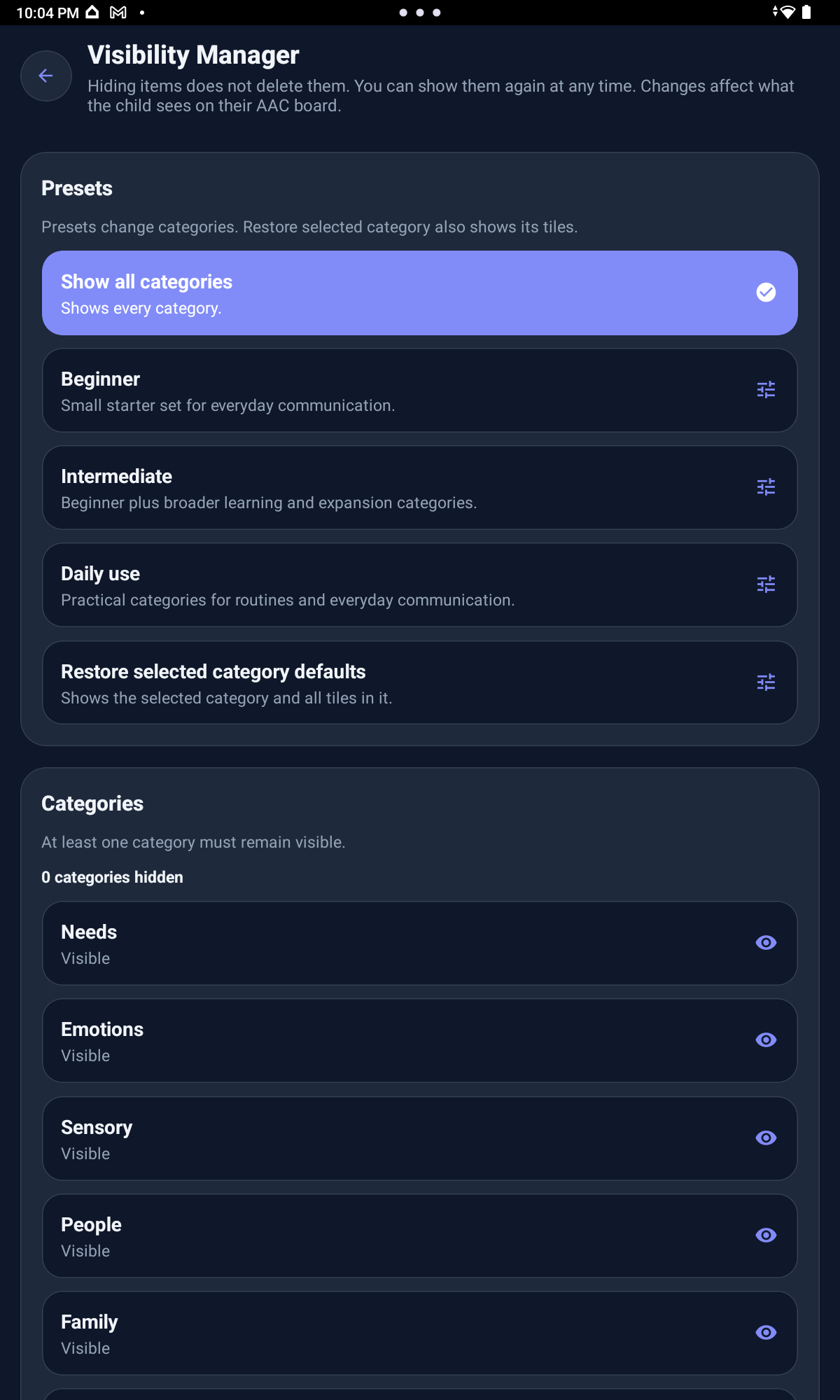
Hide or show full categories and individual tiles. Hidden items are not deleted and can come back later.
Add your own tile pictures or replace existing images where supported, using real people, places, routines, school items, and comfort objects.
Support needs, feelings, choices, refusals, school messages, social phrases, thoughts, pain or discomfort, and custom messages.
Caregiver setup
Adults know the people, places, routines, and comfort items that matter in a child's real life. Those details can make communication easier to recognize.
Caregivers can begin with fewer visible choices and keep the board focused on the messages the child needs most today. Starter Level also lets parents choose how many sentence starters the child sees.
Full categories and individual tiles can be hidden to reduce overwhelm without removing communication. Hidden items stay saved, so families can show them again as routines and needs change.
Familiar tile pictures can make choices easier to recognize. Where supported, adults can add or replace images with real people, items, places, routines, school objects, pets, or comfort objects.
The adult guides the setup. The child receives the benefit: more ways to ask, refuse, choose, share a feeling, request a break, talk about school, or say something personal.
Start with what your child needs today. Add more when they are ready.
Caregiver tools
A calmer board can still leave space for growth. Families can simplify what appears today, then bring back hidden choices or add familiar pictures when the child is ready. Protected Parent Tools keep setup controls out of the child-facing board.
Flexible communication
Children may need pictures, starters, Social Scripts, Free Talk, My Thoughts, typing, spelling, or speech output at different moments. Each tool can be introduced gradually, without making every child use everything at once.
Simple picture choices and parent-controlled starter levels help children build everyday messages without starting from a blank page.
Ready-to-use phrases can support greetings, play, school moments, feelings, and social communication.
Open-ended spaces give children and caregivers room for messages that are not already on a picture tile.
Letter-based and typed communication can support names, phrases, short messages, and early literacy routines.
Selected pictures, words, typed text, and saved messages can be spoken aloud when a child needs another way to be heard.
Open-ended expression
Free Talk, My Thoughts, spelling, and typing give children room for messages that go beyond a preset tile, while speech output can help those messages be heard aloud.
Built for real routines
Talki Kids is child-centered, but adults shape the setup. Parents, caregivers, teachers, and support teams can start simple, personalize the board, and grow communication gradually.
Parents, caregivers, and support teams shape the setup around real life using protected Parent Tools. The child gets more ways to be understood.
Begin with a calmer board, then add categories, tiles, pictures, and tools when they become useful.
Talki Kids is a communication support app, not a replacement for therapy, medical care, school services, or professional guidance.
The current launch version keeps app setup local and does not require parent accounts, child accounts, or voice recording.
Talki Kids AAC+ is now available on the App Store, Google Play, and Amazon Appstore.
Parents and caregivers can also contact us with questions, feedback, or support needs.